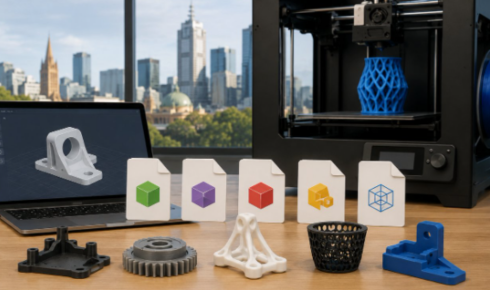
If you’re sourcing 3d printing services in Victoria, one of the first technical questions to clarify is: which CAD and mesh file formats will the provider accept? For 3d print Melbourne projects, the “right” format depends on whether you’re ordering polymer printing (FDM, SLA, SLS, MJF) or 3d metal printing (DMLS/SLM, Binder Jetting), and whether the supplier needs editable CAD for engineering changes or a “print-ready” mesh.
This guide breaks down the most common formats accepted by Melbourne 3d printing companies, what each format is best for, and how to export files so your Melbourne 3d print company can quote quickly and manufacture accurately.
Quick summary: the most accepted formats
Most Melbourne 3d printing companies accept at least:
- STL (most common for quoting/printing)
- OBJ (mesh + better surface/colour support)
- 3MF (modern mesh + units/metadata)
- STEP / STP (preferred CAD exchange for engineering)
Many also accept native CAD files (e.g., SolidWorks, Fusion 360) if they offer design-for-manufacture (DfAM) support.
Why file format matters for 3D printing
A 3D printer ultimately needs geometry it can slice into layers. That geometry can arrive as:
- Mesh files (triangles): great for slicing, but limited editability.
- CAD/solid files (B-Rep/NURBS): best for engineering edits, tolerances, and parametric changes.
For fast turnaround 3d printing services, providers often prefer a mesh (STL/OBJ/3MF) for quoting and production. For complex jobs—especially 3d metal printing—a CAD format (STEP) can reduce risk by preserving precise surfaces and enabling manufacturability checks.
Common file formats and when to use them
| Format | Type | Best for | Key notes for printing | Typical acceptance |
| STL | Mesh | Most polymer prints, quick quoting | No colour/material data; units not embedded; resolution depends on export settings | Very high |
| OBJ | Mesh | Smooth surfaces, colour/texture, multi-part meshes | Can include normals/UVs; larger files; needs accompanying MTL/texture files if coloured | High |
| 3MF | Mesh container | Modern workflows, multi-material, better metadata | Stores units, scale, multiple bodies; less ambiguity than STL | Growing/high |
| STEP (STP) | CAD solid | Engineering parts, tight tolerances, metal printing | Preserves analytic surfaces; ideal for DfAM review and edits | High |
| IGES (IGS) | CAD surface | Legacy CAD exchange | Can import as surfaces (may need healing); less robust than STEP | Medium |
| Parasolid (X_T/X_B) | CAD kernel | High-fidelity CAD exchange | Excellent geometry fidelity if your CAD supports it | Medium |
| SolidWorks (SLDPRT/SLDASM) | Native CAD | Collaboration with engineering teams | Great for edits; requires compatible software/version | Provider-dependant |
| Fusion 360 (F3D) | Native CAD | Parametric design handoff | Useful if supplier supports Fusion workflows | Provider-dependant |
| Rhino (3DM) | CAD/mesh | Industrial design, organic surfaces | Can be solid or mesh; export carefully for watertightness | Provider-dependant |
| DXF/DWG | 2D vector | Laser cutting, CNC, or 2.5D patterns | Not a 3D print file by itself; sometimes used for engraving or profiles | Limited |
Mesh formats (STL, OBJ, 3MF): what Melbourne providers expect
STL: the default for quoting and production
STL is the most common “send it to print” format for 3d print Melbourne orders.
What to watch:
- Units: STL doesn’t store units. A part exported in mm can be interpreted as inches if the workflow is inconsistent.
- Resolution: Too coarse = faceted curves; too fine = huge file sizes and slow processing.
- Watertightness: Holes, non-manifold edges, and flipped normals can break slicing.
Export tips:
- Use millimetres unless your supplier specifies otherwise.
- Increase chord height/angle tolerance for curved surfaces (but don’t overdo it).
- Run a mesh repair check (many CAD tools have “repair” or “make manifold”).
OBJ: better surface detail and colour support
OBJ is a mesh format often accepted by Melbourne 3d printing companies for:
- Smoother shading/normals
- Multi-part models
- Colour/texture workflows (where supported)
If you’re sending colour/texture, include:
- the .OBJ
- the .MTL file
- any texture images (PNG/JPG)
3MF: modern alternative to STL
3MF is increasingly popular because it can store:
- Units/scale
- Multiple bodies
- Metadata (and sometimes material/colour info)
If your CAD or slicer supports it, 3MF can reduce the “scale confusion” that sometimes happens with STL.
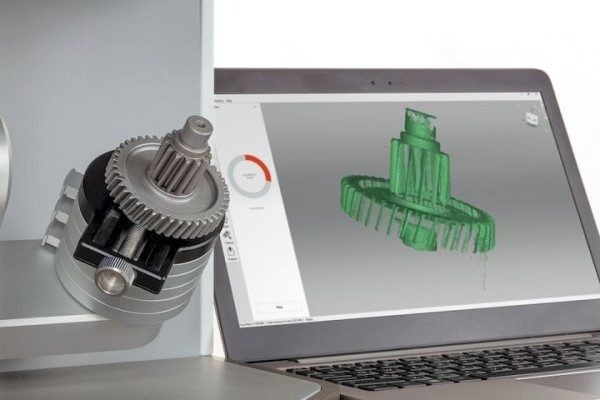
CAD formats (STEP, IGES, Parasolid): best for engineering-grade parts
STEP (STP): the preferred CAD exchange
For functional parts, assemblies, and anything requiring engineering review, STEP is often the best choice for 3d printing services.
Why many providers prefer STEP:
- Preserves precise surfaces and edges
- Supports solid bodies (better for checking wall thickness)
- Easier for suppliers to modify (e.g., add fillets, split parts, add drain holes)
This is especially relevant for 3d metal printing, where design adjustments (supports, distortion risk, minimum wall thickness) may be needed before production.
IGES (IGS): legacy but still used
IGES is common in older CAD pipelines, but it can import as surfaces that require “healing” to become watertight solids. If you can export STEP, STEP is typically safer.
Parasolid (X_T/X_B): high-fidelity exchange
If your CAD system supports Parasolid export, it can be an excellent option for geometry fidelity. Acceptance varies by Melbourne 3d print company depending on their software stack.
What about native CAD files?
Some Melbourne 3d printing companies accept native CAD files (e.g., SolidWorks, Fusion 360, Inventor, Rhino) when:
- They provide DfAM feedback
- They need to make minor edits
- You want them to manage tolerances and fit
However, native files can create issues with:
- Version compatibility
- Missing linked parts in assemblies
- Proprietary features that don’t translate
Practical approach: send STEP + STL together when possible. STEP supports engineering review; STL shows exactly what mesh you intended to print.
Special considerations for 3D metal printing
3d metal printing generally has tighter constraints than polymer printing. A supplier may request:
- STEP for design review (preferred)
- A print-oriented mesh (STL/3MF) for slicing after design is final
Common metal-print checks that benefit from CAD:
- Minimum wall thickness and feature size
- Enclosed volumes (powder removal)
- Overhang angles and support strategy
- Distortion risk and build orientation
- Machining allowances for critical faces
If you’re engaging 3d printing service for metal parts, ask whether they provide a DfAM review and what format they prefer for that stage.
How to prepare files so a Melbourne 3D printing company can quote fast
To reduce back-and-forth with Melbourne 3d printing companies, include:
- File(s): STL/OBJ/3MF and/or STEP
- Units: confirm mm or inches
- Quantity: number of parts
- Material and process: e.g., PA12 SLS, resin SLA, aluminium DMLS
- Target tolerances: critical dimensions and fit requirements
- Surface finish expectations: as-printed vs bead-blasted, dyed, machined
- Notes on orientation-critical surfaces (cosmetic faces, strength direction)
Common file issues (and how to avoid them)
1) Non-manifold or open meshes
Symptoms: slicer errors, missing layers, strange holes.
Fix:
- Run mesh repair
- Ensure the model is a closed volume
- Remove internal faces and self-intersections
2) Wrong scale
Symptoms: part imports 25.4× too big/small.
Fix:
- Standardise on millimetres
- Use 3MF where possible
- Include a note: “Units: mm”
3) Too low mesh resolution
Symptoms: circles look like polygons.
Fix:
- Export STL with finer settings (smaller chord height)
- Avoid over-simplifying meshes before export
4) Thin walls and tiny features
Symptoms: fragile parts, failed prints, rejected quotes.
Fix:
- Ask your Melbourne 3d print company for minimum wall thickness guidelines by process
- Thicken walls or redesign features before exporting final files
Which format should you send?
Use this rule of thumb for 3d print Melbourne orders:
- Need the supplier to review/adjust the design? Send STEP (plus an STL if you can).
- You already have a print-ready model and want a fast quote? Send STL or 3MF.
- Colour/texture or complex mesh workflows? Send OBJ (with MTL/textures) or 3MF.
- Metal part with engineering requirements? Start with STEP for DfAM, then confirm the final export for production.
Final checklist before you upload
- Model is watertight/manifold (for mesh files)
- Units confirmed (mm recommended)
- Correct orientation notes (if cosmetic/strength-critical)
- Critical tolerances and mating features documented
- Material/process specified (especially for 3d metal printing)
When you provide the right format and clean geometry, Melbourne 3d printing companies can quote faster, reduce risk, and deliver better outcomes—whether you’re ordering prototypes, end-use polymer parts, or high-performance metal components.